 AudioRemover
ASS subtitle converter
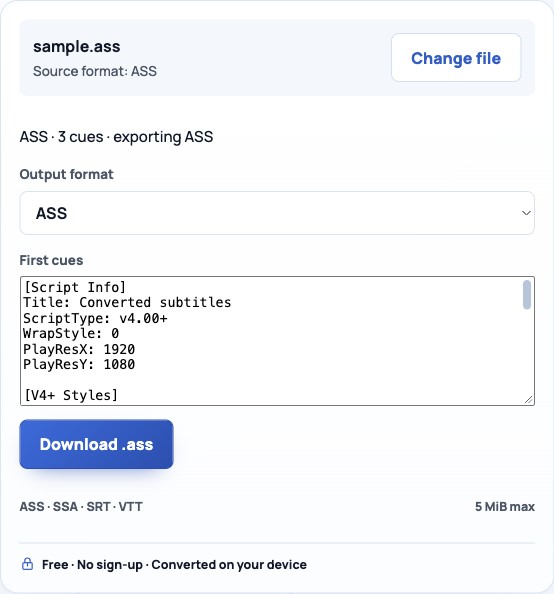
Load a subtitle file and download it in another format. The source format is detected automatically; the conversion runs on your device.
- ASS · SSA · SRT · VTT
- 5 MiB max
- No upload
or drag an ASS, SSA, SRT or VTT here
Free · No sign-up · Converted on your device
How to use it
- Choose an .ass, .ssa, .srt or .vtt file.
- Pick the output format.
- Download the converted subtitle file.
Formats and limits
Convert ASS or SSA subtitles to SRT or VTT, and turn SRT or VTT into ASS, in your browser. Styling tags are dropped and timing is preserved. Nothing is uploaded.
- Input
- ASS · SSA · SRT · VTT
- File limit
- 5 MiB
- Processing
- In your browser, no upload
- Output
- ASS · SRT · VTT
Processing facts
- No upload — the file stays in your browser.
- 5 MiB · File limit
- Phone transfer files expire after 1 hour.
What an ASS file really is
Advanced SubStation Alpha is closer to a script than to a subtitle list. Beyond the cue times and text it carries a style table that defines fonts, sizes, colours, outline widths and margins, and the dialogue lines can include override tags that change almost anything mid-sentence: a different font for one word, a fade, a position, a karaoke timing per syllable. That flexibility is why anime fansubbers and many broadcast tools use it, and why plain SRT cannot hold it.
What conversion keeps and what it drops
The conversion keeps the text, the start and end times, and the order of the cues. It drops everything visual: the style table, override tags, karaoke timings and positioning. Line breaks written as \N become real line breaks so the text reads correctly in SRT, and inline formatting such as italics disappears rather than leaving stray braces in the file. For an archive, keep the ASS original and treat the SRT as a working copy.
Timing precision and rounding
ASS records hundredths of a second, SRT and VTT record thousandths. Converting ASS to the others rounds each timestamp to the nearest 10 milliseconds; converting the other way rounds to the nearest centisecond. Rounding is applied separately to start and end times, so a cue that was 500 ms long can become 510 or 490 milliseconds — invisible on screen, relevant if a tool checks exact durations. Nothing is retimed, shifted or fixed for overlaps.
From SRT or VTT into ASS
The reverse direction produces a valid ASS file with one Default style: Arial at 54 pixels, white text, two-pixel outline and bottom-centre alignment, which is a common baseline for 1080p video. The dialogue lines carry no override tags, so the file is plain but readable everywhere and editable in Aegisub or Subtitle Edit. If the project needs a house style, apply it in the editor afterwards rather than hand-editing the generated header.
Line breaks, spaces and escaping
ASS uses a backslash followed by N for a hard line break, n for a soft break a renderer may ignore, and h for a non-breaking space. Converting out turns hard and soft breaks into ordinary newlines, and \h becomes a space. Converting in joins multi-line cues with \N, which every player understands. Commas inside dialogue text are safe because the parser splits only on the field count declared by the Format line.
Files that do not convert cleanly
An ASS file can contain drawing commands that paint shapes with vector coordinates; the override tags are dropped, but the raw coordinates can survive as a stray line of numbers, which you can delete from the output. Karaoke timing collapses into a single cue, with the effect lost. Files with negative or overlapping times are kept as they are instead of being repaired. An .ass file that opens with [Script Info] but has no [Events] section has no cues to convert, and the tool says so rather than producing an empty download.
Where this fits in a workflow
Two workflows dominate. One is getting styled subtitles into a plain format for editing, translation or upload to a platform that only takes SRT. The other is turning a plain SRT from a transcription service into ASS so it can be restyled and timed in a subtitle editor. Both need the words to survive and do not need the styling to follow, which is exactly what this page does. Keep the original next to the result — round-tripping through a plain format is a one-way door for styling.
What this tool is not
It is not a subtitle editor. It does not retime cues, merge or split them, translate text, fix overlaps or preview the result over video. It does not carry styling between formats or convert image-based subtitle tracks. It reads text formats only, with a 5 MiB cap that is generous for any feature-length subtitle file. Those boundaries keep the conversion predictable: words and timing in, words and timing out.
Common questions
Are my subtitles uploaded to a server?
No. The file is read and converted in the browser tab, and the download is created locally. Nothing is sent to a server, so unreleased transcripts stay private.
Will the styling survive the conversion?
Not into SRT or VTT. ASS stores fonts, colours, outlines, positioning and animation in override tags inside the text and in a style table, and plain subtitle formats have nowhere to put them. The conversion keeps the words and their timing, strips the {\...} tags and turns \N line breaks into real line breaks. Going back to ASS gives a clean Arial default style, not the original look.
Why do my timings shift by a few milliseconds?
ASS stores time in centiseconds — hundredths of a second — while SRT and VTT store milliseconds. A cue at 00:01:02.53 in ASS has no exact millisecond equivalent, so it is rounded to the nearest 10 ms when written out. The difference is below what a viewer can perceive, but a script that compares timestamps exactly will notice it.
What happens with SSA files?
SSA is the older sibling of ASS. Its events section and dialogue lines are read the same way, so an .ssa file converts like an .ass file. Writing SSA back is not offered; the output is always the v4+ ASS format, which current players and editors read.
Can it handle image-based subtitles?
No. PGS, VobSub and similar formats store pictures of text, not characters, so there is nothing to convert into a text format. Extract them as images, run OCR, then convert the result — this tool deliberately does not pretend to read pixels.
How is this different from the SRT and VTT converter?
The SRT/VTT converter handles the two plain-text formats and keeps their cue settings where possible. This page exists for ASS and SSA, which carry styling and karaoke timing, and for pulling text out of them. If both files are SRT or VTT, either tool works; the other one keeps a little more detail.