 AudioRemover
Subtitle Converter
Load an .srt or .vtt file and download it in the other format. The conversion happens on your device.
- SRT · VTT · UTF-8
- 5 MiB max
- No upload
or drag an .srt or .vtt here
Free · No sign-up · Processed on your device
How to use it
- Choose an .srt or .vtt file.
- Pick the output format.
- Download the converted subtitle file.
Formats and limits
Convert SRT subtitles to VTT and VTT back to SRT in your browser, with timing and cue text preserved.
- Input
- SRT · VTT · UTF-8
- File limit
- 5 MiB
- Processing
- In your browser, no upload
- Output
- SRT · VTT
Processing facts
- No upload — the file stays in your browser.
- 5 MiB · File limit
- Phone transfer files expire after 1 hour.
SRT and VTT at a glance
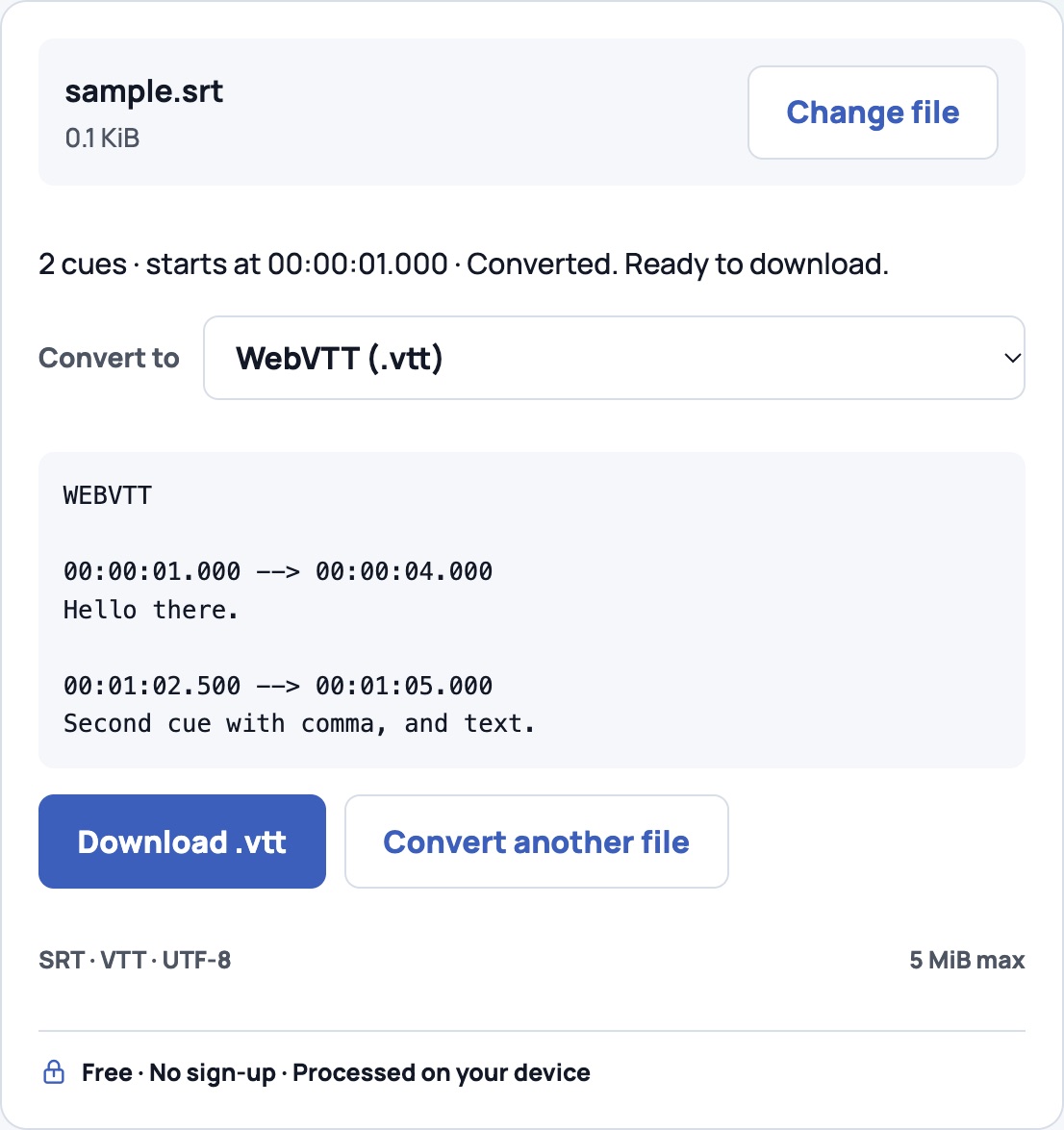
An SRT file is a sequence of cues. Each cue has a number, a timing line and one or more text lines, separated by blank lines. WebVTT keeps the same cue structure but starts with a WEBVTT header and may include extra blocks such as NOTE, STYLE and REGION. The text and timing usually survive a conversion unchanged; what differs is the wrapper and the optional features around the cues.
How timestamps differ
SRT writes hours, minutes, seconds and milliseconds separated by colons, with a comma before the milliseconds: 00:01:02,500. WebVTT uses a dot and allows the hour field to be omitted, so 01:02.500 is valid. Converters normalize both sides to full hours when writing SRT, and to a consistent format when writing VTT, so players see the same timeline even if the source used a shorter form.
What WebVTT adds
VTT can position a cue with settings such as align:start or line:90% on the timing line. It supports CSS styling through a STYLE block, named regions, and NOTE comments that players ignore. None of these are part of SRT, so a VTT to SRT conversion keeps the words but not the layout. If positioning matters, keep the VTT original and treat the SRT as a plain-text copy for editing or older players.
Why styling does not survive
Subtitle formats are not interchangeable containers. SRT has no concept of a stylesheet or a screen region, so there is nowhere to store a font, a background box or a position. Inline tags such as italic markers are text and can pass through, but a player that ignores them will show plain text. Converting SRT back to VTT produces a clean file with no styles, which is usually fine for uploads that expect default rendering.
Encoding and line endings
Subtitle files are text, and most problems come from encoding rather than timing. UTF-8 without a BOM is the safest choice for both formats. A byte-order mark is tolerated by this converter, but other tools may show it as a stray character. Windows line endings and Unix line endings are both accepted. If a file shows boxes or question marks after conversion, the source was not UTF-8 and needs to be re-saved before trying again.
When to use which
WebVTT is the format used by HTML5 video, YouTube uploads, Vimeo and HLS streaming, so it is the better choice for anything published on the web. SRT is accepted almost everywhere else: desktop players, most video editors, many TV apps and older devices. A common workflow is to edit in SRT because the format is simple, then convert to VTT for the final web player.
What the converter leaves out
It converts cue text and timing. It does not translate, retime, merge or split cues, and it does not repair overlapping timestamps. Malformed blocks without a valid timing line are skipped, and a file with no cues is reported instead of producing an empty download. Because the tool only handles text, a 5 MiB limit is generous for even a feature-length subtitle file.
Common questions
What is the difference between SRT and VTT?
SRT is a plain list of numbered cues with comma timestamps. WebVTT adds a WEBVTT header, cue settings such as position and alignment, and optional styling. Both store the same text and timing, which is why conversion is usually lossless for the words.
Does converting lose styling?
VTT styling and cue settings have no equivalent in SRT. Bold, italic and color tags written inline are kept as text, but CSS blocks, regions and positioning are dropped when you convert to SRT. Converting back to VTT will not restore them.
Are the timings preserved exactly?
Yes. Both formats store milliseconds, so start and end times are copied as they are. The punctuation changes: SRT uses a comma before the milliseconds and VTT uses a dot, and VTT can omit the hour field.
Which encoding should the file use?
UTF-8. Files saved as UTF-16 or with legacy encodings should be converted first, or accented characters and non-Latin scripts may appear as replacement characters.
Is my subtitle file uploaded?
No. The file is read and converted in the browser tab, and the download is created locally. Nothing is sent to a server.