 AudioRemover
Remove Audio from WebM
Delete the Opus or Vorbis track from a WebM and download a silent copy. The video stream is copied, so the picture keeps its original encoding.
Need a new soundtrack after removing the sound? Add or replace audio
How to use it
- Choose a WebM file from your device.
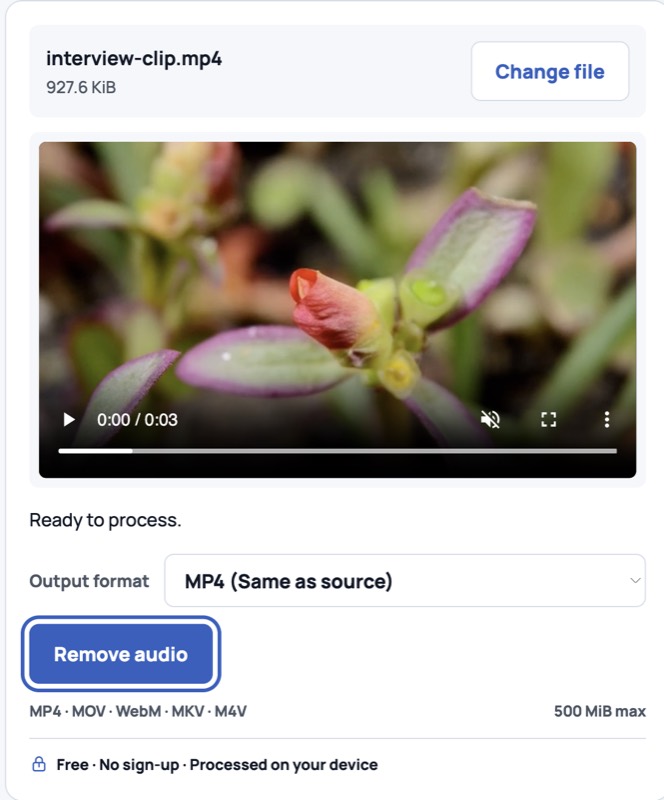
- Select “Remove audio” and wait for the local export.
- Download the silent WebM and play it in your browser.
Formats and limits
Remove all audio from a WebM video for free without uploading. The VP8, VP9 or AV1 picture is copied without re-encoding, and the silent file stays WebM.
- Input
- MP4 · MOV · WebM · MKV · M4V
- File limit
- 500 MiB
- Processing
- In your browser, no upload
- Output
- WebM · MP4 · MKV
| Video codecs | VP8, VP9, AV1 |
|---|---|
| Output containers | WebM, MP4, MKV |
| Audio | Opus and Vorbis tracks removed, along with every other audio track |
| Subtitles | WebVTT tracks are not carried |
| Playback | Chrome, Firefox, Edge; Safari support for VP9/AV1 varies |
| Typical source | Web downloads, browser recordings, streaming captures |
| File limit | 500 MiB |
WebM is a web container
A WebM file holds VP8, VP9 or AV1 video and usually an Opus or Vorbis audio track. The mute tool copies the video stream into a fresh WebM and leaves out every audio stream. Nothing is re-encoded.
Every audio track is removed
WebM files can carry more than one audio track. The tool removes all of them, including speech, music and ambient sound. To keep the picture and write a new soundtrack, use Add or Replace Audio.
Output and playback
The default export is WebM, which plays in Chrome, Firefox and Edge. Safari support for VP9 and AV1 varies by version. If you need an MP4, choose it in the output control when the source is AV1 or VP9; the picture is copied again, not re-encoded.
Subtitle tracks are not carried
WebVTT subtitle tracks inside the WebM are not copied by this tool. Extract them first if you need them, then remux the silent video with the subtitles in a desktop tool.
Limits
One local file at a time, up to 500 MiB, processed in your browser. Links and streaming URLs are not accepted. Files close to the limit need enough free memory; close other tabs if processing fails.
Using a silent WebM on the web
A muted WebM is the easiest way to autoplay background video: browsers allow autoplay only when the media has no audio track, so the exported file is ready for a looping hero or product demo. Keep the clip short, use VP9 or AV1 for size, and serve it with the video/webm MIME type.
Muting a browser screen recording
Screen recordings made with a browser recorder usually land as WebM with an Opus track — often a microphone that caught the room rather than the content. Muting removes that track and keeps every frame. Check the first seconds afterwards: some recorders start with a black frame, and trimming before muting makes the result tidier.
When the silent WebM will not play
WebM is built for browsers, so a television, a phone gallery or an older editor may refuse it. Safari support for VP9 and AV1 varies by version, and QuickTime does not open WebM at all. Export MP4 or MKV instead when the destination is not a browser; the picture is still copied rather than re-encoded, as long as the codec fits the container.
Using a silent WebM on a website
A muted WebM autoplays without a user gesture and is smaller than an MP4 at the same quality. Keep a poster frame, serve it as video/webm, and offer an MP4 fallback for browsers that cannot decode VP9 or AV1.
Common questions
Does removing audio from a WebM re-encode the video?
No. The video stream is copied into a new WebM, so VP8, VP9 or AV1 stays exactly as it was.
Can I turn the silent WebM into an MP4?
Yes when the video is AV1 or VP9: choose MP4 in the output control. H.264 inside WebM is not a standard combination and is handled by converting through MP4 instead.
Will the silent file be smaller?
Usually. The audio stream is removed, so the file shrinks by roughly its size.
Does it work with Opus audio?
Yes. Opus and Vorbis tracks are removed along with every other audio stream.
Can I keep one audio track?
No. Mute removes all audio. Export a silent file and add the track you want with Add or Replace Audio.
Is my video uploaded?
No. Processing happens in your browser and the file never leaves your device.