 AudioRemover
Remove Audio from MP4
Delete every audio track from an MP4 and download a silent copy. The video stream is copied, so the picture keeps its original H.264, HEVC or AV1 encoding.
Need a new soundtrack after removing the sound? Add or replace audio
How to use it
- Choose an MP4 file from your device.
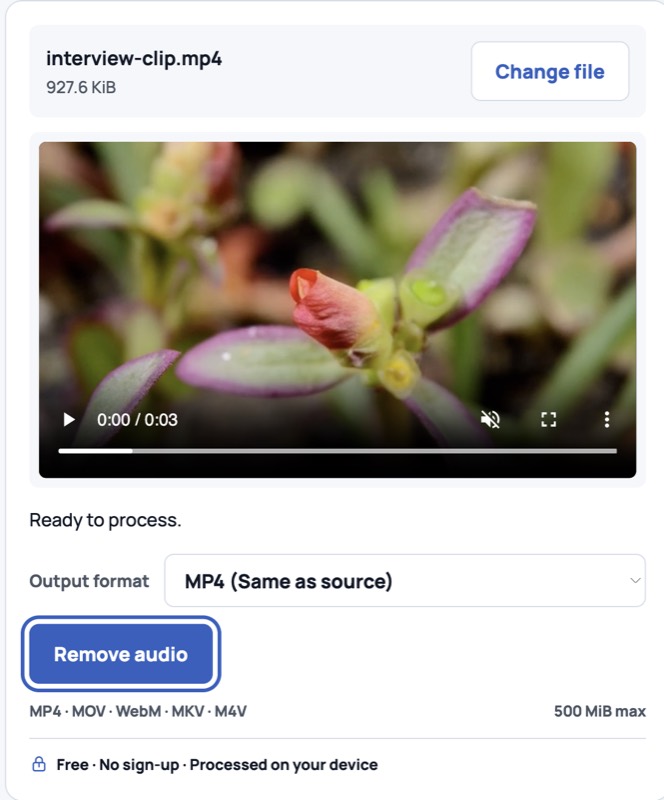
- Select “Remove audio” and wait for the local export.
- Download the silent MP4 and check that it plays without sound.
Formats and limits
Remove all audio from an MP4 online for free. The picture is copied without re-encoding, so the silent MP4 keeps its original quality. Nothing is uploaded.
- Input
- MP4 · MOV · WebM · MKV · M4V
- File limit
- 500 MiB
- Processing
- In your browser, no upload
- Output
- MP4 · MOV · MKV
| Video codecs | H.264, HEVC, AV1. VP8/VP9 sources export as WebM. |
|---|---|
| Output containers | MP4, MOV, MKV |
| Audio | Every audio track is removed |
| Subtitles | Not carried into the export |
| Metadata | Container tags are kept; use the metadata remover to strip them |
| Playback | Browsers, iPhone, Android, TVs |
| Typical source | Android phones, screen recordings, downloads |
| File limit | 500 MiB |
What happens to the MP4
The tool copies the main video stream into a fresh MP4 and leaves out the audio. Nothing is re-encoded, so the resolution, frame rate and original codec stay the same. H.264, HEVC and AV1 files can be written to MP4; VP8 and VP9 video cannot be stored in MP4 without re-encoding, so those sources export as WebM instead.
Every audio track is removed
An MP4 can hold several audio tracks, such as dubs in different languages or a commentary track. The mute tool removes all of them. If you want to replace the sound instead, use Add or Replace Audio: it keeps the picture and writes a new track.
Metadata is kept
Container tags such as title, author and creation time are copied with the picture. To strip GPS, camera and other identifying tags, run the exported file through the metadata remover; muting alone does not erase them.
How to verify the silent file
Open the download in VLC, QuickTime or your phone’s player and open the media information panel. The audio track list should be empty, and the video properties should match the source. The file is usually smaller because the audio stream is gone.
Limits
One local file at a time, up to 500 MiB. This page is about MP4, but the same tool also handles MOV, WebM, MKV and M4V. Video links are not accepted. Files close to the limit need enough free memory; close other tabs if processing fails.
How much smaller will the file get?
The saving is the audio bitrate multiplied by duration. A 128 kbps track uses about 0.9 MB per minute, so a one-minute clip with one such track shrinks by roughly 0.9 MB; a 320 kbps track saves about 2.4 MB per minute. Files with several dubs or commentary tracks lose more, and the video bitrate stays untouched.
Muting an MP4 on a phone
The MP4 tool runs on iPhone and Android as well: open the site in Safari or Chrome, choose the file from Photos or Files and tap Remove audio. iPhone recordings are often HEVC inside MOV, which this tool handles too. Files up to 500 MiB are accepted, but phone memory is the practical limit, so trim long recordings first.
Where the silent MP4 is useful
A silent MP4 is the standard starting point for adding a new soundtrack, for background clips that must not autoplay with sound, and for footage that will be scored or dubbed later. Keep the original until the new file plays everywhere you need it.
Common questions
Does removing audio from an MP4 re-encode the video?
No. The video stream is copied into a new container, so the picture keeps its original codec, resolution and quality.
Will the silent MP4 be smaller?
Usually yes. The audio stream is removed, so the file shrinks by roughly the size of that stream. The picture data is unchanged.
Can I remove the audio and then add new music?
Yes. Download the silent MP4 here, then open Add or Replace Audio and choose your music file. The picture is copied again without re-encoding.
Can I remove only the background music and keep the voices?
No. Mute removes every audio track, including speech, music and ambient sound. Separating vocals from music needs a source separation tool.
Does it work with HEVC video from an iPhone?
Yes. HEVC video is copied and tagged hvc1 so it plays in Apple players. The export can be MP4 or MOV.
Is my video uploaded?
No. The file is processed in your browser and never leaves your device.