 AudioRemover
Rotate PDF
Fix sideways or upside-down pages and download the corrected PDF. Pages are not re-rendered.
- 50 MiB max
- No upload
or drag a PDF here
Free · No sign-up · The PDF rotates on your device
How to use it
- Choose a PDF file.
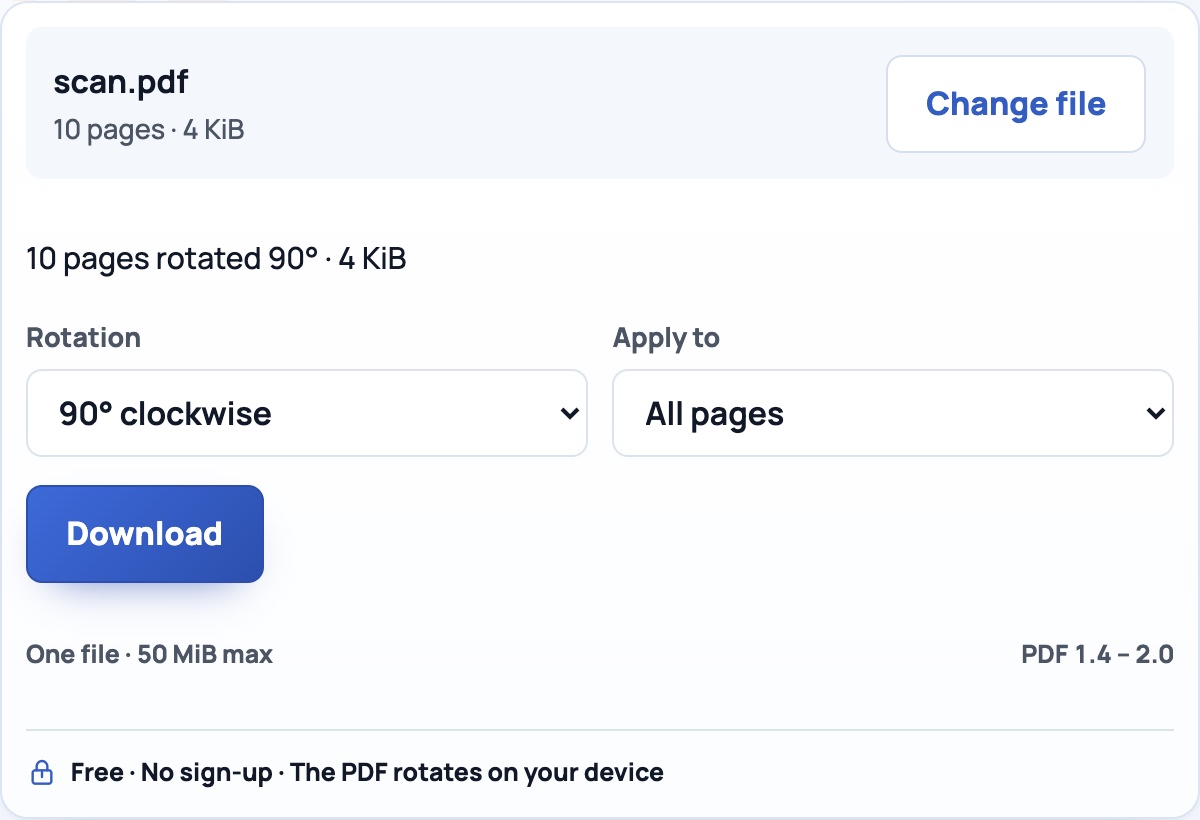
- Pick the rotation and the pages it applies to.
- Download the rotated PDF.
Formats and limits
Rotate every page of a PDF, or only a page range, by 90, 180 or 270 degrees. Saved on your device, nothing uploaded.
- Input
- File limit
- 50 MiB
- Processing
- In your browser, no upload
- Output
Processing facts
- No upload — the file stays in your browser.
- 50 MiB · File limit
- Phone transfer files expire after 1 hour.
What rotation actually changes
A PDF page carries an orientation value that tells readers which way up to draw it. Rotating changes that value — 90, 180 or 270 degrees clockwise — and rewrites the document around it. Nothing is rasterized, nothing is re-encoded, and the file stays fully text-searchable. That is also why the tool is fast: it edits a few numbers rather than a few hundred pages of content.
The scan that came out sideways
Sheet-fed scanners produce this constantly: landscape forms go through rotated, and every viewer then shows them sideways. One 90-degree pass here fixes the whole document. Check a couple of pages first — some batches mix orientations, and the page-range option lets you correct only the pages that are wrong without touching the rest.
Mixing portrait and landscape
Rotating everything is right only when everything is wrong. Documents that legitimately mix portrait pages with landscape tables need the range option: rotate just the pages that display sideways, and leave the rest alone. Running the tool twice with two ranges is fine — the output of the first pass is an ordinary PDF that the second pass can read.
Upside-down pages and faxes
A 180-degree turn fixes the other classic: pages that were fed back-to-front, or old fax artifacts that store the page inverted. Because the rotation is added to whatever the page already carries, turning a page twice by 180 returns it to where it started — rotation here is cumulative on the stored attribute, not a destructive overwrite.
What stays identical
Text remains selectable and searchable, links inside the page keep working, and image quality is untouched. Interactive form fields travel with the page, though a few older viewers draw their input boxes in the old orientation after a rotation; if the document is a form that must stay fillable, test it in the reader your recipients use before relying on the rotated copy.
Encrypted and restricted files
A password-protected PDF cannot be opened for writing, so the tool reports it instead of guessing. Files that open but forbid modification usually still work here, because the browser builds a fresh document rather than editing the original in place — but the reliable path is an unprotected copy from the owner.
Check the result before replacing the original
Open the download and page through it: confirm the sideways pages are upright, the portrait pages were not touched, and any landscape tables still read the way you expect. Rotation is written to a new file, so the original is never modified and you can always go back to it — but do keep the original until the rotated copy has proved itself in the reader you actually use.
When rotation is not enough
If a target device ignores orientation attributes — some older printers and embedded viewers do — the drawn pixels are what they are, and the only real fix is re-rendering the pages in a desktop editor. Rotation also cannot crop, resize or straighten a page that was scanned at a slight angle; it is a direction switch, not a deskew. For those jobs, rescan or use a full editor.
Common questions
Are my files uploaded to a server?
No. The rotation is written into the file entirely in your browser. The page works offline once loaded, and the download is created on your device.
Does rotating reduce quality?
No. A PDF stores the page orientation as an attribute, and rotating only changes that number. Text, images and fonts are copied untouched, so the export is as sharp as the source and finishes almost instantly even for large documents.
Can it fix pages that were scanned sideways?
Usually yes. A sideways scan usually just carries the wrong orientation attribute, and setting it correctly makes every reader show the page upright. If the pixels themselves were stored rotated and the viewer ignores the attribute, a full re-render in a desktop editor is the remaining option.
Can I rotate only some pages?
Yes. Choose the page-range option and set the first and last page; everything outside the range keeps its current orientation. That is the usual fix for a document where only the landscape appendix came out sideways.
Can I rotate a password-protected PDF?
Not while the password is set. The tool has to read the pages to write a new file, and an encrypted document refuses that. Save an unprotected copy from a PDF reader first.
Do all PDF readers honour the rotation?
Every current reader and printer pipeline we know of does. Some very old embedded viewers ignore the attribute, which is why you should open the download and check it before deleting the original.