 AudioRemover
Split PDF
Choose a PDF, pick how to split it, and download the result. Everything runs on your device.
- 50 MiB max
- No upload
or drag a PDF here
Free · No sign-up · The PDF splits on your device
How to use it
- Choose a PDF file.
- Pick a page range, a chunk size, or one file per page.
- Download the PDF or ZIP.
Formats and limits
Extract a page range, split a PDF every N pages, or save every page as its own PDF — all in your browser, nothing uploaded.
- Input
- File limit
- 50 MiB
- Processing
- In your browser, no upload
- Output
- PDF · ZIP
Processing facts
- No upload — the file stays in your browser.
- 50 MiB · File limit
- Phone transfer files expire after 1 hour.
Three ways to split
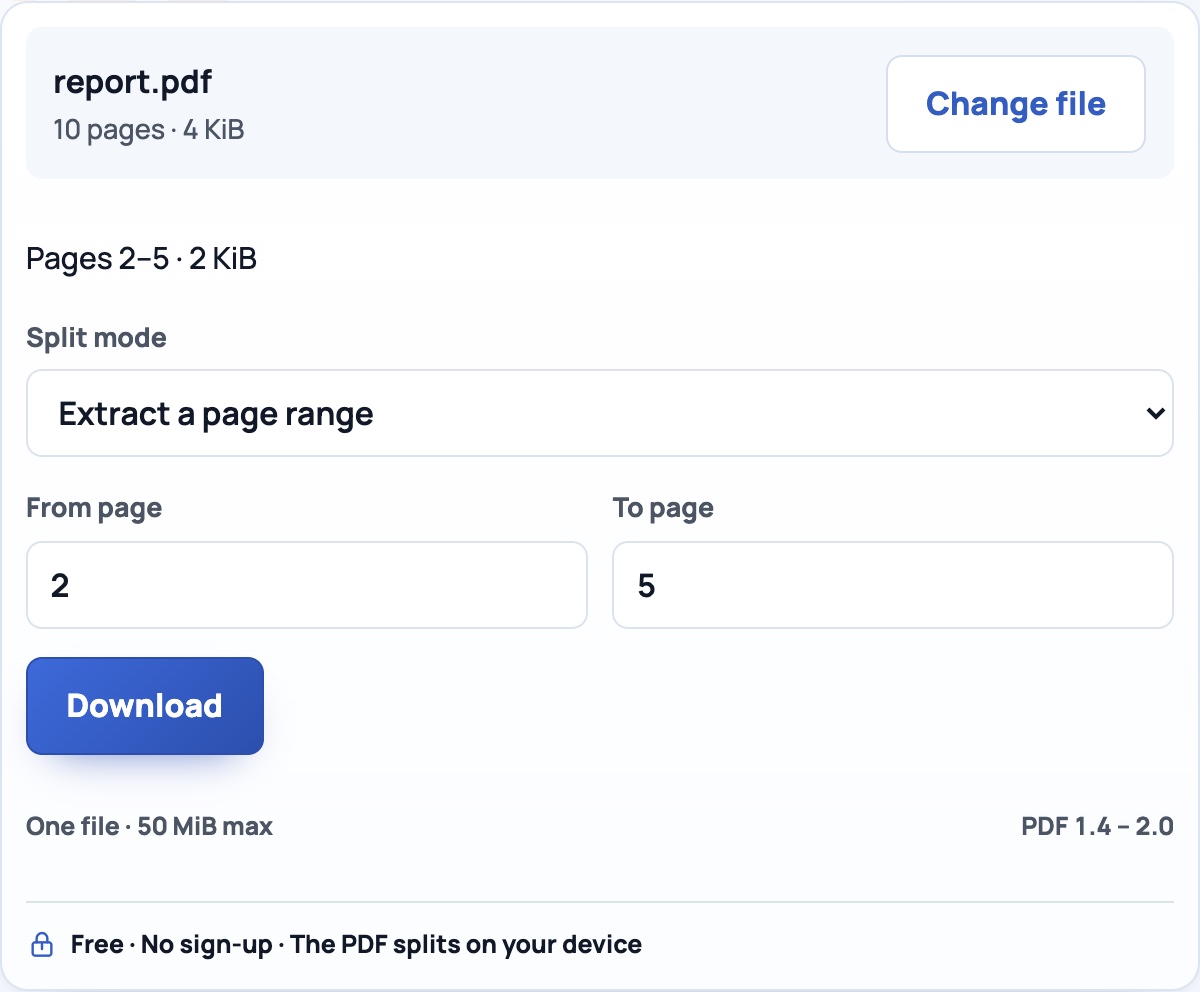
A page range gives you one new PDF with exactly the pages you listed — the tool for extracting a chapter, a contract section or the signed last page. Every-N mode cuts the document into consecutive chunks of the size you choose, which suits scanned batches that were fed into one file. One-per-page mode turns each page into its own single-page PDF, the format many portals and printers ask for when they accept one page per upload.
Working with a page range
Type the first and last page you want to keep. The range is inclusive on both ends, counts from page 1, and is clamped to the document, so a typo cannot produce an empty file. The download is named after the range, which keeps a folder of extracts readable. If you need pages that are not consecutive, run the tool twice and merge the results with the PDF merger.
Every N pages and one page per file
Every-N mode walks the document from the front and closes a new PDF each time the chunk fills; the last part can be shorter. One-per-page mode is the special case N = 1 with per-page file names. Both deliver a ZIP so a single click saves everything at once. If the result would pass 100 files, the tool says so instead of freezing the tab — increase the chunk size or switch to a range.
What stays exactly the same
Each output page keeps its size, orientation, embedded fonts and image data. A mixed document of A4 contracts and Letter appendices splits into files that are still mixed in exactly the same way, because the splitter moves pages rather than rebuilding them. Bookmarks, page labels and form fields belong to the document rather than the pages, so they do not travel with the extracts.
Naming and the ZIP file
Range output takes the source name plus the page numbers, chunked output is named part-01, part-02 and so on, and per-page files carry page-01, page-02. Files inside the ZIP are stored, not re-compressed, which is faster and does not shrink anything — PDF pages are already compressed data. Extract the ZIP with any archiver; the names sort in page order.
Password-protected and damaged files
An encrypted PDF refuses to be read without its password, so the splitter reports it instead of failing silently. A file that loads halfway and then stops is usually damaged at that point; a viewer may show the pages before the break while the splitter cannot copy them. Re-saving the file from a desktop reader often repairs enough structure to split afterwards.
Limits and browser memory
The source file can be up to 50 MiB. Every output page exists in memory while the ZIP is built, so the practical ceiling is memory rather than file size: a 40 MiB scan of two hundred heavy pages is harder on a phone than a light text document of the same size. The 100-file cap exists for the same reason. On a phone, prefer ranges or larger chunks.
When splitting is not the right tool
To delete one middle page, extract the ranges before and after it and merge them. To reorder pages, split into pieces and merge them back in the new order. To combine documents, the merger does that in one step. And if the goal is really a smaller file, compress the PDF instead — splitting changes what is in each file, not how much each page weighs.
Common questions
Are my files uploaded to a server?
No. The PDF is read, copied and written back out in your browser. The ZIP, when there is one, is also built on your device, so the page never sends a byte of your document anywhere.
Does splitting reduce quality?
No. Pages are copied from the source document into new ones without being re-rendered, so text stays vector, images keep their compression and embedded fonts stay embedded. Each output file is essentially a slice of the original.
Can I split a password-protected PDF?
Not while the password is set. Splitting has to read the pages, and an encrypted file refuses that. Open it in a PDF reader, save an unprotected copy, and split that copy.
What is inside the ZIP?
In one-per-page mode it holds one single-page PDF per source page, named after the page number. In every-N mode it holds consecutive chunks of N pages each. The ZIP is stored without further compression, because the PDFs inside are already compressed.
Can I cut one page into several pieces?
No. One source page always becomes exactly one output page. Cutting a page into tiles means rendering it as an image and slicing the pixels, which is a different kind of tool and always loses text selectability.
How many files can one split produce?
Up to 100. A PDF with more pages cannot go through one-per-page mode; use a page range or a larger chunk size instead. The cap keeps phones and tablets from running out of memory while the ZIP is being built.