 AudioRemover
Waveform image
Draw a clean waveform image from any audio file and download it as PNG, with a transparent background option for overlaying it on other designs.
- MP3 · M4A · AAC · WAV · FLAC · OGG · Opus
- 100 MiB max
- No upload
or drag an MP3, WAV, M4A, FLAC or OGG here
Free · No sign-up · The waveform is drawn on your device
How to use it
- Choose an audio file.
- Pick a width, colour and background.
- Download the PNG.
Formats and limits
Turn an MP3, WAV, M4A, FLAC or OGG file into a waveform PNG — pick the width, colour and background, then download. Nothing is uploaded.
- Input
- MP3 · M4A · AAC · WAV · FLAC · OGG · Opus
- File limit
- 100 MiB
- Processing
- In your browser, no upload
- Output
- PNG
Processing facts
- No upload — the file stays in your browser.
- 100 MiB · File limit
- Phone transfer files expire after 1 hour.
What the image contains
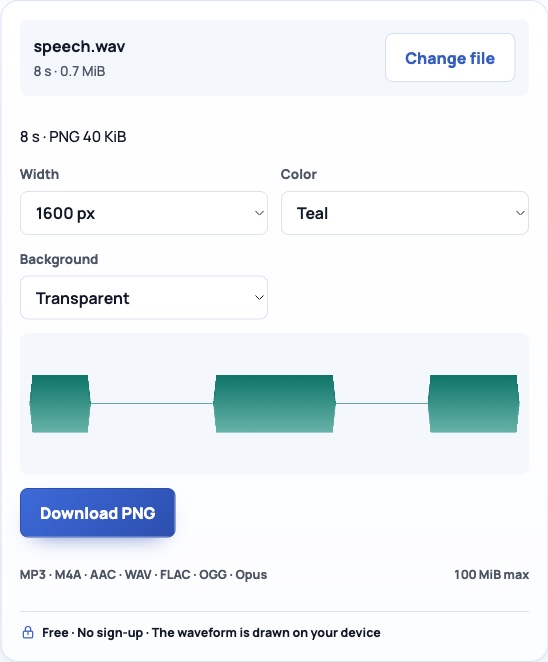
The export is a PNG of the whole recording from start to finish, at one of three widths and a fixed height of 400 pixels. Bars run from the centre line outwards, coloured with a solid ink and a lighter shade so dense passages read as a gradient rather than a flat mass. The background is either white or fully transparent, which makes the transparent version easy to drop onto a coloured cover or a slide. Only the first audio channel is used, so the result is a single waveform rather than a left-and-right pair.
Reading the shape
Loud passages draw tall bars and quiet ones flatten towards the centre line, so the broad shape of an episode — an intro, a conversation, a quiet outro — is visible at a glance. That is the entire vocabulary: there are no axes, no tick marks, no playhead and no timestamps, because the image is meant to illustrate rather than to measure. If a cover needs to show that a show is energetic, the waveform does it; if it needs to show that the loudness is -16 LUFS, it does not, and no amount of zooming will make it.
Choosing width, colour and background
A 1200-pixel image suits an article or a blog post where the picture sits in a text column. 1600 pixels covers most video thumbnails and podcast artwork, and 2400 pixels is for print or for designs that will be cropped and zoomed. The four colour presets are paired with a lighter shade so the bars keep some depth at full height. Pick the transparent background when the PNG will be composited over a photo or a brand colour; pick white when it will sit on a page as it is and a plain white rectangle is acceptable.
Long recordings and visible detail
The waveform is downsampled by necessity: a 3000-second episode at 1200 columns means each bar represents two and a half seconds of audio, so a single syllable disappears into its column. The shape that survives is the macro structure — sections, pauses, crowd noise, silence. Exports beyond 1600 pixels add smoothness rather than samples, so they suit print and later cropping; cropping the audio to the most interesting section before drawing it is often more effective than exporting the full episode at maximum width. For an overview image, the default 1200 is usually enough.
Audio files only, by design
The tool decodes audio containers with the browser’s Web Audio API. That covers MP3, M4A, AAC, WAV, FLAC, OGG and Opus, but not video files: an MP4 or MOV has to be demuxed first, which is a job for the extractor. The workflow is therefore two steps — extract the soundtrack, then draw its waveform — and it produces a cleaner result anyway, because a podcast episode or a music track is the material the image is meant to show, not a two-hour video with long silent stretches.
Staying local, and the 100 MiB limit
Decoding, peak calculation and the canvas drawing all happen on your device, and the PNG is downloaded from a blob created in the page — no upload step exists. The 100 MiB cap is a memory guard, not a business rule: the whole decoded signal sits in browser memory while the columns are computed, and a phone will feel that long before a desktop does. Drawn audio never leaves the machine, which matters for unreleased episodes and private recordings.
Using the PNG in practice
Podcast covers read best with the waveform as a horizontal band behind the show name, so use the 1600 or 2400 width and leave vertical space above and below. Video thumbnails often want the waveform at the bottom edge under a title, which is where the transparent background earns its keep. Slide decks and documentation use the image as a visual rhythm marker next to a quote. Scale the PNG down in the design tool rather than up, and keep a copy at full width in case the artwork is reused at a larger size later.
What this tool does not do
It does not show a frequency spectrum, a loudness measurement or a spectrogram, and it does not draw stereo channels separately. It does not add a playhead, timestamps or a grid, and it does not export SVG or animated waveforms. It cannot repair or analyse the audio — a silent stretch draws flat because it is silent, not because the drawing failed. Those jobs belong to an audio editor or an analysis tool; this page does exactly one thing, and it does it for images that need to look right rather than to be read precisely.
Common questions
Are my files uploaded to a server?
No. The audio is decoded by your browser’s own audio engine and drawn on a canvas on your device, and the PNG is created locally. Nothing is sent anywhere.
Is this an audio analysis tool?
No. It draws a peak waveform for illustration — podcast covers, video thumbnails, slide decks and article art. There are no decibel gridlines, no spectrum, no loudness measurement and no time labels, so it is not a substitute for a DAW or a metering plugin.
Which audio files can I use?
MP3, M4A, AAC, WAV, FLAC, OGG and Opus files up to 100 MiB. Video files are not accepted; extract the soundtrack with the audio extractor first, then draw the waveform from the resulting audio file.
What sizes can I export?
Three widths — 1200, 1600 and 2400 pixels — at a fixed height of 400 pixels, on a white or transparent background. The waveform samples at most 1600 columns, so 2400 px adds smoothness for print rather than new detail, and scaling the PNG down later is fine.
Why does a long podcast look like a solid block?
Each column of the image holds the peak of everything that happens during its slice of audio, so a fifty-minute recording compresses a lot into 1200 columns. Export wider, or crop a shorter section, when the shape matters.
Can I get separate left and right waveforms?
No. Only the first channel is drawn, so stereo material appears as a single waveform. That is the right choice for covers and thumbnails, where a single shape reads more clearly than two mirrored halves.