 AudioRemover
Trim Audio
Cut an audio file down to the part you need. The audio stream is copied into a new file, so the export keeps its original codec and quality.
- MP3 · M4A · AAC · WAV · FLAC · OGG · Opus
- 500 MiB max
- No upload
or drag an audio file here
Free · No sign-up · Processed on your device
How to use it
- Choose an audio file.
- Set the start and end time.
- Download the trimmed copy.
Formats and limits
Trim MP3, M4A, WAV, FLAC, OGG and Opus in your browser. Set a start and end time and keep the original audio encoding. Nothing is uploaded.
- Input
- MP3 · M4A · AAC · WAV · FLAC · OGG · Opus
- File limit
- 500 MiB
- Processing
- In your browser, no upload
- Output
- MP3 · M4A · WAV · FLAC · OGG
Processing facts
- No upload — the file stays in your browser.
- 500 MiB · File limit
- Phone transfer files expire after 1 hour.
Lossless audio trimming
Trimming copies the existing encoded audio into a shorter file. Nothing is re-encoded, so an MP3 stays an MP3 at the same bitrate, and a WAV stays uncompressed PCM. The only trade-off is that compressed formats cut at frame boundaries.
Supported formats and output
MP3, M4A, AAC, WAV, FLAC, OGG and Opus inputs are supported. The export keeps the source format: MP3 to MP3, M4A to M4A, WAV to WAV, FLAC to FLAC, OGG and Opus to OGG. AAC input is written as M4A.
When to use the audio converter instead
Use this page to cut a file without changing its format. To change the format, normalize loudness or add fades, open the audio converter.
Set the cut points
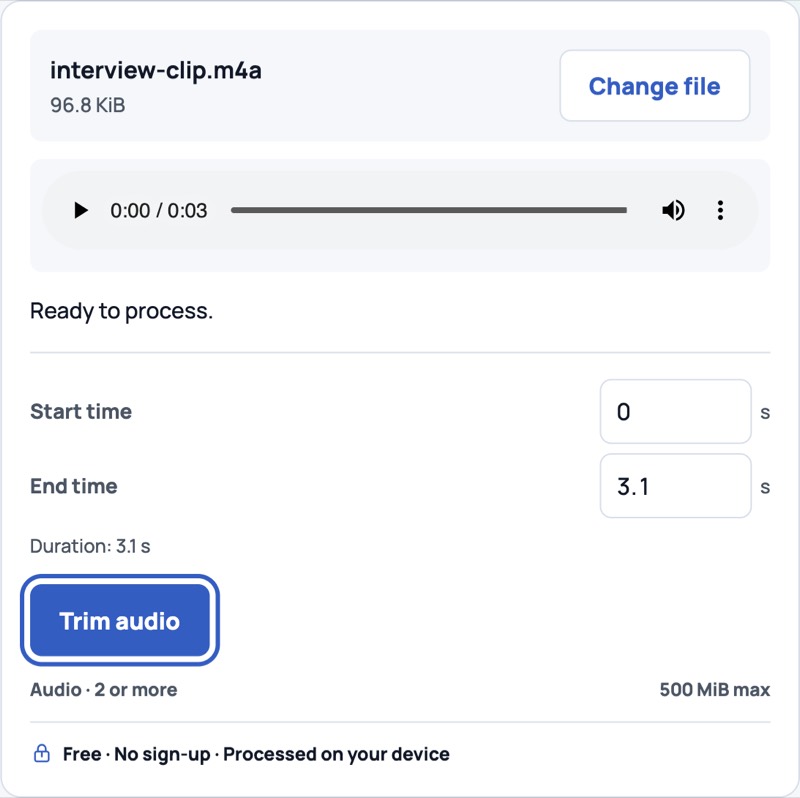
The panel takes a start and an end time in seconds and shows the resulting duration underneath, so the length is clear before anything runs. Values beyond the end of the file are clamped to it, and an empty selection is refused rather than producing a silent file. The source is never modified, so a wrong cut costs nothing but a second attempt.
Why a cut can land a few milliseconds off
Compressed audio stores frames, not individual samples, so a cut lands on the nearest frame boundary. For MP3 that can be a few milliseconds, which is inaudible in speech and barely noticeable in music. Some formats also carry a short encoder delay at the start; players usually hide it, but a strict waveform comparison will show it.
Check the edges before you share
Play the first and last few seconds of the export. Confirm the first word is complete and the tail does not cut off a beat or a breath. If it does, move the boundary and trim again — repeated trims do not degrade the audio, because the encoded data is copied rather than re-encoded.
Trimming a phone voice memo
iPhone voice memos arrive as M4A and trim in the browser without an app. Long recordings use more memory on a phone than on a laptop, so a two-hour memo may be better handled on a computer. The original stays in the Voice Memos app either way; the export is a separate file you can share or delete.
When the cut does not sound right
A soft click at the boundary usually means the cut landed mid-frame or mid-breath. Move the start a hundredth of a second later and try again. If the export sounds muffled rather than clicked, the source format may not be supported losslessly and the tool has re-encoded instead of copying.
Cutting a ringtone
A ringtone is usually under 30 seconds and should loop cleanly. Cut the part you want, keep a short fade so the loop does not click, and export M4A for an iPhone or MP3 for everything else. Always play the result once before setting it as your ringtone.
Common questions
Does trimming re-encode the audio?
No. The compressed audio packets are copied into a new file, so the quality is unchanged.
Can I trim an MP3 without losing quality?
Yes. The cut aligns to MP3 frame boundaries, so the result may differ from the exact time by a fraction of a second.
Which audio formats are supported?
MP3, M4A, AAC, WAV, FLAC, OGG and Opus. The output uses the same format as the source; AAC is saved as M4A.
Why does the start or end differ slightly?
Compressed formats store audio in frames. A lossless cut starts and ends at the nearest frame boundary instead of re-encoding the edges.
Is my audio uploaded?
No. The file is processed in your browser and never leaves your device.