 AudioRemover
Aspect Ratio Calculator
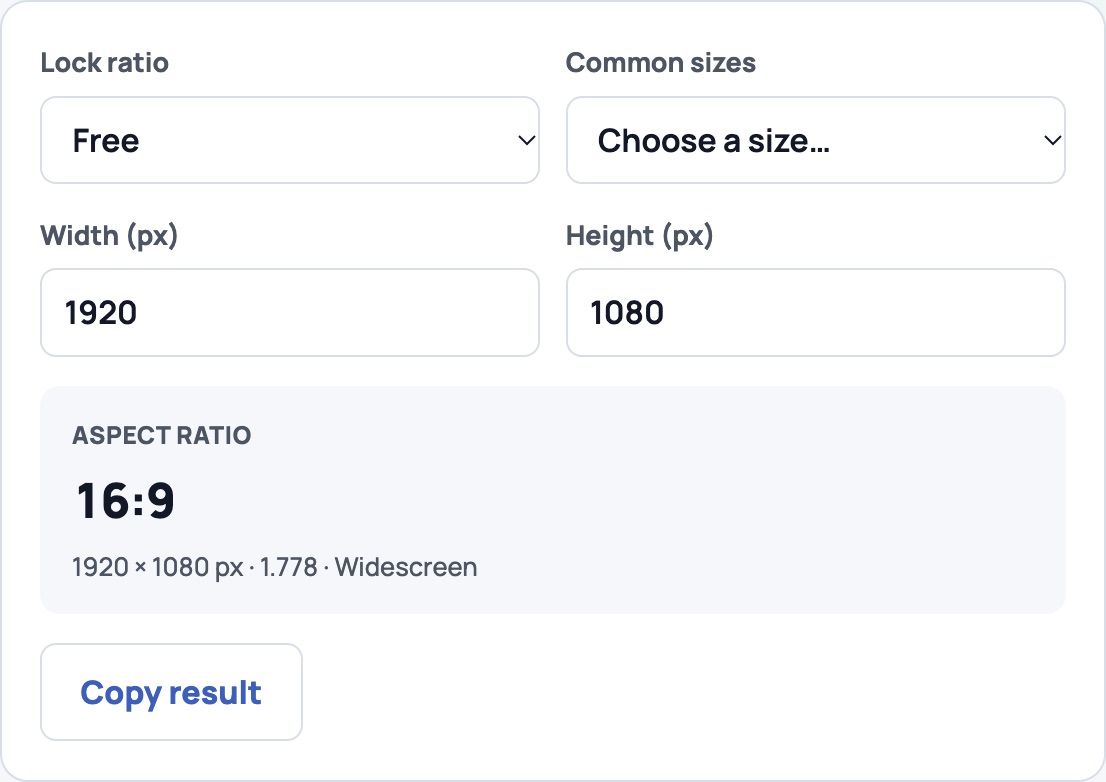
Enter a width and height to see the ratio, or lock 16:9, 9:16, 4:5 and resize one side.
- No upload
Aspect ratio
—
Copied
How to use it
- Enter the width and height in pixels.
- Optionally lock a ratio so the other side updates.
- Copy the simplified ratio or the matching dimensions.
Formats and limits
Simplify a width and height into a ratio, or lock a ratio to resize dimensions without distortion.
- Processing
- In your browser, no upload
- Output
- 16:9 · px
What an aspect ratio is
An aspect ratio is width divided by height, written as two numbers. 1920 × 1080 simplifies to 16:9 because both sides divide by 120. The ratio says nothing about pixel count: 1280 × 720, 1920 × 1080 and 3840 × 2160 are all 16:9 at different resolutions. The calculator reduces any pair with the greatest common divisor and also shows the decimal form, which is useful when comparing 16:9 (1.778) with 16:10 (1.6) or 21:9 (2.333).
Common ratios and where they come from
16:9 is the standard for broadcast, YouTube and most phone video. 9:16 is the same rectangle turned upright, used by short vertical video. 4:3 comes from early television and still appears in some cameras and projectors. 1:1 is the square used by older feed posts and avatars. 4:5 takes more vertical space in a feed and is common on Instagram. 21:9 is the cinema scope used by widescreen films and some monitors. Older 16:10 screens sit between 16:9 and 4:3.
| Ratio | Common resolutions | Typical use |
|---|---|---|
| 16:9 | 1280 × 720 · 1920 × 1080 · 2560 × 1440 · 3840 × 2160 | YouTube, TV, desktop slides |
| 4:3 | 640 × 480 · 1024 × 768 · 1440 × 1080 · 2048 × 1536 | Older TV, projectors, some cameras |
| 9:16 | 720 × 1280 · 1080 × 1920 · 1440 × 2560 | Shorts, Reels, Stories |
Why 16:9 is not a resolution
The ratio is the shape; resolution is how many pixels fill it. 720p, 1080p, 1440p and 4K all share 16:9, so the choice between 1280 × 720 and 1920 × 1080 changes sharpness and file size, not framing. When you keep the ratio and double the width, the height doubles too. That is why a 4K export of a 1080p timeline can be scaled up without bars or distortion.
Scaling, letterboxing and cropping
When a video or image goes into a frame with a different ratio, one of three things happens: it scales with black bars, it is cropped to fill, or it is stretched and distorted. The calculator gives you matching dimensions so the first option can be done cleanly, and so a crop can be planned before recording. For social video, cropping is usually preferred to bars, which is why filming a little wider than the final frame is a common habit.
Which ratio for which platform
YouTube and desktop playback expect 16:9. Shorts, Reels and TikTok expect 9:16. Instagram feed photos work at 4:5 or 1:1, while profile pictures are 1:1. Presentation decks are 16:9, with 4:3 still found on older projectors. Cinema-style edits use 21:9 or 2.39:1. When a video has to travel between formats, match the destination rather than the source and keep the original file so a different cut can be made later.
Why the numbers round
Pixels are whole numbers, so a ratio rarely divides exactly. 1080 × 1350 is exactly 4:5, but fitting 16:9 into a 1000 px width gives 562.5, which becomes 563 or 562 and is no longer exact. A pixel of drift is invisible, while a larger drift means the frame was set to a different ratio. The calculator rounds to the nearest pixel and shows the simplified ratio it actually produced, so rounding never changes the shape without telling you.
Choosing the pixel size after the ratio
Once the ratio is fixed, the resolution is a separate decision. 1920 × 1080 is enough for most feeds; 3840 × 2160 only pays off when the viewer can see the extra detail or the clip will be re-edited. Upscaling a smaller source adds no detail, and a file larger than the platform accepts only triggers another compression step. Match the ratio first, then choose the smallest resolution that looks crisp on the target screen, and keep the original so a different export is still possible later.
Common questions
Is 16:9 the same as 1920 × 1080?
No. 16:9 is the shape; 1920 × 1080 is one resolution that fills it. 1280 × 720, 2560 × 1440 and 3840 × 2160 are also 16:9.
Which ratio should I use for TikTok, Reels or Shorts?
9:16. A common export size is 1080 × 1920. Use 16:9 only if the clip will also play on a desktop player or YouTube.
Does changing the ratio crop the picture?
The calculator only computes numbers and never touches a file. In an editor, a different ratio means cropping, adding bars, or stretching, and each choice changes what the viewer sees.
Why does 1080 × 1350 show 4:5?
Because 1350 divided by 1080 is 1.25, which is exactly 5 divided by 4. The calculator reduces the pair with the greatest common divisor, so 1080 × 1350 becomes 4:5.
Does the calculator upload my photo?
No file is needed. The page only does arithmetic, so no image or video leaves your device.