 AudioRemover
Convert Video Format
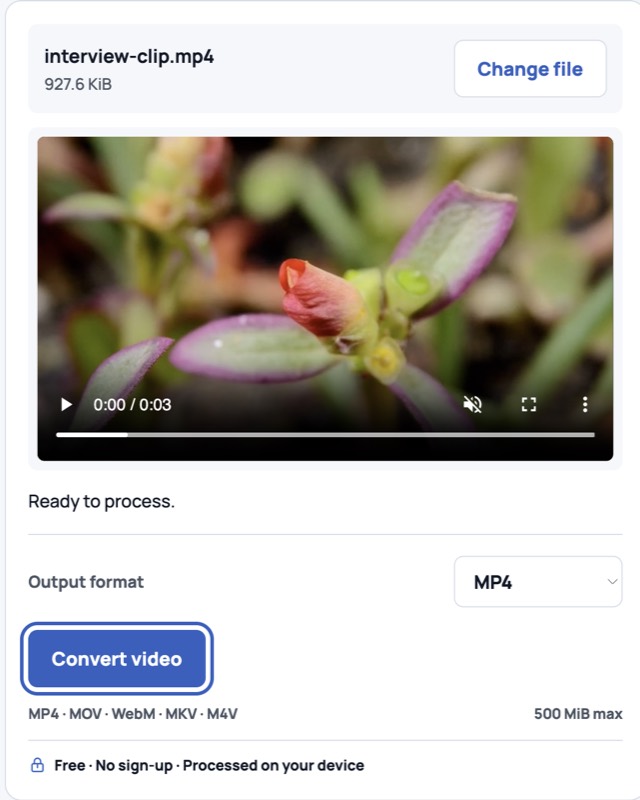
Convert a video to MKV, MP4, MOV or WebM without re-encoding. The picture is copied; audio is converted only when the target container needs it.
- MP4 · MOV · WebM · MKV · M4V
- 500 MiB max
- No upload
or drag a video here
Free · No sign-up · Processed on your device
How to use it
- Choose a video from your device.
- Choose the output format.
- Download the converted copy.
Formats and limits
Convert video format free. Remux MP4, MOV, WebM, MKV and M4V without re-encoding; MKV output is download-only.
- Input
- MP4 · MOV · WebM · MKV · M4V
- File limit
- 500 MiB
- Processing
- In your browser, no upload
- Output
- MP4 · MOV · WebM · MKV
Processing facts
- No upload — the file stays in your browser.
- 500 MiB · File limit
- No re-encode — the picture is copied, so it often finishes in seconds.
- Phone transfer files expire after 1 hour.
What remuxing changes
The tool writes a new container and copies the streams into it. Resolution, frame rate, bitrate, colour and audio stay exactly as they were; only the wrapper changes. That is why a remux finishes in seconds even on a large file, and also why it cannot make a file smaller — shrinking is a re-encode, which belongs to a different tool.
Which codecs fit which container
MP4 holds H.264, HEVC and AV1 well, with AAC audio. MOV is close to MP4 with a longer Apple history. MKV accepts almost anything, including several audio tracks and subtitle streams. When a codec does not fit the target, the tool reports it instead of quietly re-encoding and changing the picture.
When conversion really needs re-encoding
Turning HEVC into H.264, or VP9 into H.264, is not a container change — it is a different codec. This page does not do that; it remuxes, which keeps quality but cannot change what is inside. Use a re-encoding converter when a TV or an older editor only accepts one specific codec.
Audio and subtitle tracks
Remuxing keeps the audio tracks the target container can hold. MKV holds more than MP4, so a file with several language tracks may lose some when moved to MP4, and subtitle tracks are not carried into the converted file at all. Export subtitles first if you need them, and check the audio tracks afterwards.
Choosing the container for the destination
MP4 for phones, TVs, browsers and social platforms. MOV for Final Cut, iMovie and QuickTime workflows. MKV for archiving, and for files with many tracks or subtitle formats. If you are unsure, MP4 is the safer answer because it is the most widely accepted container.
Check playback before deleting the source
A successful conversion is not proof that the destination device can play the file. Open the result in the player you actually use — the TV, the phone, the editor — and confirm both picture and sound. Some hardware cannot decode HEVC or AV1 even when the container is correct.
Remuxing is not compressing
Converting MKV to MP4 will not shrink the file: the video data is identical and the container overhead is negligible. If size is the problem, re-encode with a lower bitrate or resolution and accept a small generation loss. Choose remux for compatibility, re-encode for size, and do not expect one to do the other. The two operations also produce different results, so keep the source until you have checked the converted file in the player you plan to use.
Common conversions and whether they work
MKV to MP4 with H.264 or HEVC works, and so does MOV to MP4. MP4 to MKV works and is a good way to inspect tracks. WebM with VP9 is usually not remuxable into MP4, because players rarely accept that combination. When a pair does not work, the tool says so instead of producing a broken file.
Why a converted file sometimes has no sound
MP4 accepts AAC, MP3 and a few other audio codecs. A rare track that fits MKV may not fit MP4, and remuxing drops it rather than re-encoding it into something else. Play the converted file before deleting the source, and if the audio is missing, convert the audio separately and add it back.
Common questions
Can I convert MKV to MP4 without re-encoding?
Yes, when the video codec is H.264, HEVC or AV1. The tool remuxes the stream into MP4 and keeps the original picture.
What does remuxing mean?
Remuxing changes the container—for example MKV to MP4—while copying the video and audio streams instead of re-encoding them.
Why are some formats unavailable?
A container only appears when it can hold the source video codec without re-encoding.
Can I play MKV in the browser?
Not reliably. MKV output is for download and desktop players such as VLC.