 AudioRemover
Video to WebM
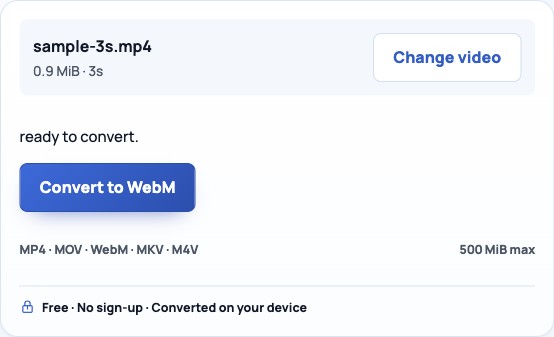
Pick a video and get a .webm file. Compatible streams are copied; everything else is re-encoded, with nothing uploaded.
- MP4 · MOV · WebM · MKV · M4V
- 500 MiB max
- No upload
or drag an MP4, MOV, WebM, MKV or M4V here
Free · No sign-up · Converted on your device
How to use it
- Choose a video from your device.
- Wait for the remux or the re-encode.
- Download the WebM file.
Formats and limits
Turn a video into WebM. If the streams are already compatible the file is remuxed losslessly; otherwise it is re-encoded to VP9 and Opus in your browser.
- Input
- MP4 · MOV · WebM · MKV · M4V
- File limit
- 500 MiB
- Processing
- In your browser, no upload
- Output
- WebM (VP8/VP9/AV1 · Opus/Vorbis)
Processing facts
- No upload — the file stays in your browser.
- 500 MiB · File limit
- Phone transfer files expire after 1 hour.
Two paths to a WebM file
The tool inspects the source first. A video with VP8, VP9 or AV1 picture and Opus or Vorbis sound only needs a new container: the encoded packets are copied into WebM and the job is done in seconds, with the image untouched. Any other combination — H.264 video, AAC audio, HEVC from an iPhone — has to be decoded and re-encoded, because the WebM container profile does not allow those codecs.
Telling the two apart in practice
A remux finishes before you can leave the tab; an encode of the same clip takes long enough to watch progress. That difference is the honest signal. WebM sources with matching codecs convert in a blink, which makes the format a poor test case for “is the tool fast” — try a phone MP4 instead, where the encode is real work.
What the re-encode does
When encoding is needed, the page plays the video muted through a hidden element and records the picture and sound with the browser’s media recorder, producing VP9 video and Opus audio in a WebM file — or VP8 on browsers without a VP9 recorder. Because recording happens in real time, the encode takes as long as the clip plays, and the bitrate is capped rather than chosen per scene. The result is a normal .webm that plays in Chrome, Firefox, Edge and current Safari, and the panel reports the finished size once it is done.
Audio and older devices
AAC audio has to become Opus, because WebM does not carry AAC. That is a second lossy step for the sound, inaudible for speech and acceptable for most music, but worth knowing if the audio is the point. On Apple devices, WebM support depends on the OS version; if the file must open everywhere without a compatibility check, an MP4 with H.264 is the safer handoff.
Where WebM is the right container
WebM is designed for the open web: it streams well, it is supported by the major browsers, and it avoids patent-encumbered codecs for projects that care about that. It is a good choice for a site video, a demo embedded in a document, or an archive in an open format. It is a poor choice for a TV, a presentation laptop from a decade ago, or a platform that will re-encode the upload anyway.
Size expectations
VP9 typically produces smaller files than H.264 at comparable quality, so converting a phone MP4 often saves space even though the picture is re-encoded. Exceptions exist: grainy footage, heavy motion and already-efficient sources can produce a larger WebM. The panel reports the finished size, and the original is never modified — comparing the two takes a moment and settles whether WebM earned its keep.
Checking the output
Open the download in Chrome or Firefox, play the whole clip, and confirm the duration and audio sync survived. If the file is meant for a website, drop it into a page and check that the browser offers a poster frame and that seeking works. For an archive, keep the original next to the WebM — the original has no re-encode behind it and is the better master.
What this tool does not do
It does not offer quality presets, batch conversion, trimming or resizing; it does not produce AV1, and it does not turn WebM back into MP4. Its single output is a WebM file made from one local video, copied when possible and encoded when necessary. That narrowness is why the two paths can be described honestly and why the result is predictable file every time.
References
Common questions
Are my videos uploaded to a server?
No. The file is read and rewritten inside your browser, and the download is created on your device. Nothing is sent anywhere, and the page works offline once it has loaded.
When is the conversion lossless?
When the video is already VP8, VP9 or AV1 and the audio is Opus or Vorbis, the streams are copied into a WebM container without decoding a frame. That runs in seconds and the picture is bit-for-bit identical. Any other pairing means a real encode, which takes longer and changes quality slightly.
Why does it take so long sometimes?
When the streams do not fit WebM, the page plays the video and records it through the browser’s own media recorder, so the encode runs in real time: a three-minute clip takes about three minutes, and a phone may run out of memory on long footage. Remuxing is fast because it only repackages data — the difference is visible immediately.
Does Safari play WebM?
Recent Safari versions on macOS and iOS play VP9 WebM, but older Apple devices and some Apple apps still do not. If the file is going to an Apple TV, an older iPhone or a platform that re-encodes uploads, MP4 remains the safer container even though WebM is technically fine.
Will the WebM file be smaller?
Usually, but not always. VP9 is more efficient than H.264 at similar quality, so a re-encode at the default settings often shrinks a file. An already-optimised source, or one with heavy grain that VP9 handles expensively, can come out larger. Compare the sizes before replacing the original.
How is this different from the video converter?
The converter remuxes between MP4, MOV, WebM and MKV while copying the streams, and it refuses when the codecs do not fit the target container. This page has one output, WebM, and does whatever it takes to get there — copying when the streams already fit, re-encoding VP9 when they do not.