 AudioRemover
Color Palette from Image
Extract colors from an image and copy a palette built from its most common colors. Processing stays in the browser.
- JPG · PNG · WebP · GIF · AVIF
- 10 MiB max
- No upload
or drag a JPG, PNG, WebP, GIF or AVIF here
Free · No sign-up · Processed on your device
How to use it
- Choose an image from your device.
- Pick how many colors you need.
- Copy a single swatch or the whole palette.
Formats and limits
Extract the dominant colors from a local image as HEX, RGB, HSL, CSS variables or JSON, with each color share.
- Input
- JPG · PNG · WebP · GIF · AVIF
- File limit
- 10 MiB
- Processing
- In your browser, no upload
- Output
- HEX · RGB · HSL · CSS · JSON
Processing facts
- No upload — the file stays in your browser.
- 10 MiB · File limit
- Phone transfer files expire after 1 hour.
Extracting colors from image files
To extract colors from image files, load a JPG, PNG, WebP, GIF or AVIF picture and let the page sample its pixels; no account or upload is involved. The palette is built from the visible content, so transparent PNG areas are skipped and a photo with a large wall or sky will lead with that color. If you need the colors of the subject rather than the frame, crop the image first or load a tighter shot.
How the palette is built
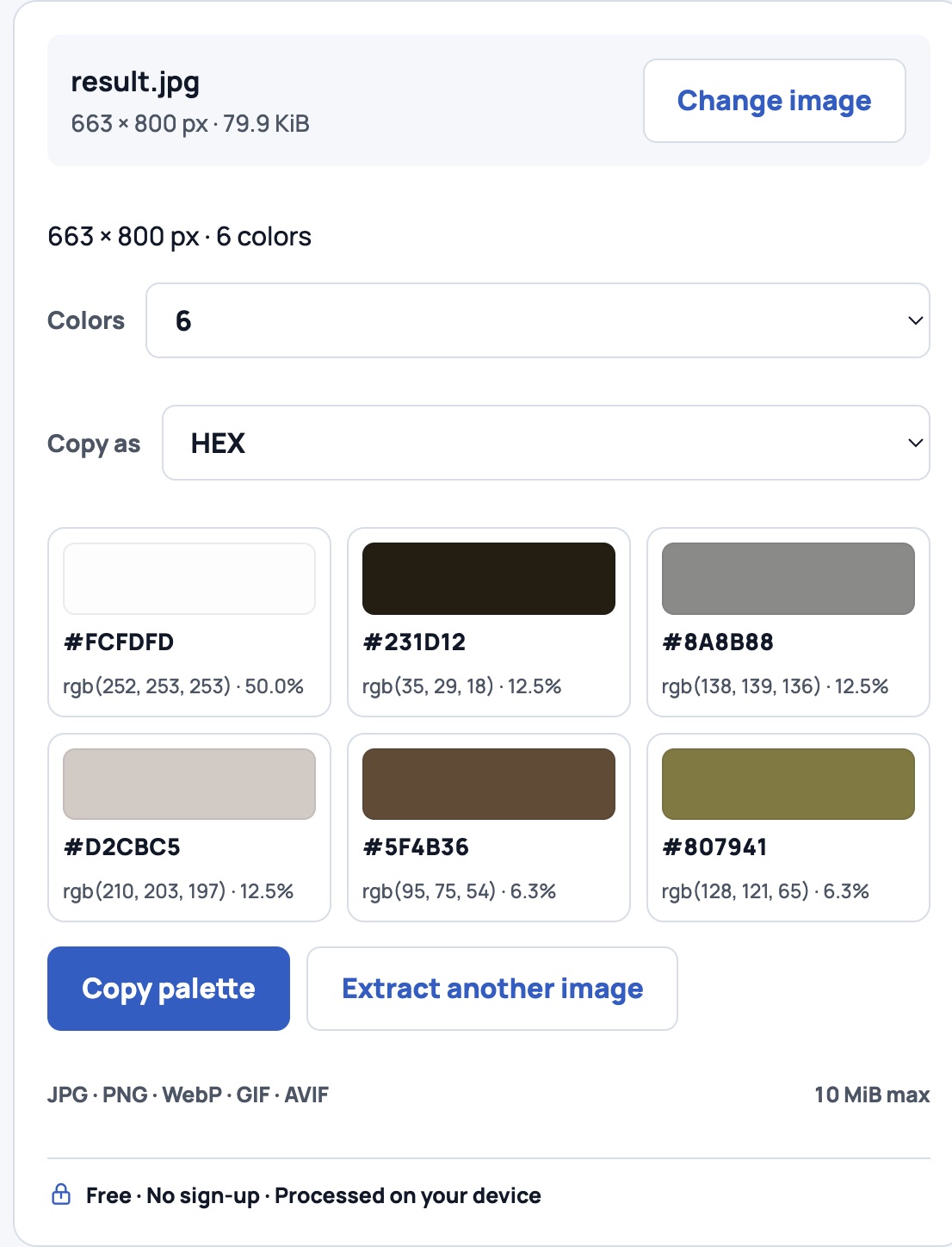
The browser decodes the image, draws a downscaled copy to a canvas and reads its pixels. Similar colors are grouped, and each group is replaced by its average color. The share of each group is the percentage shown under the swatch. Downscaling keeps the work small and also smooths JPEG noise, which would otherwise produce many nearly identical colors.
Median cut in plain terms
The grouping uses median cut, a simple quantizer. It starts with one box holding every sampled pixel, then repeatedly takes the box with the widest color range, splits it along the channel with the most variation, and sorts the pixels around the median. When the requested number of boxes is reached, each box becomes one palette color. The method adapts to the image instead of using a fixed list of colors.
Why backgrounds dominate
A palette counts pixels, not importance. A portrait with a plain wall spends most of its pixels on the wall, so the wall becomes the largest swatch. If you want colors from the subject, crop the image first or use one with a busier subject. Transparent areas are skipped entirely, which helps with logos and product cut-outs.
HEX, RGB and HSL
HEX is compact and what CSS and most design tools accept. RGB shows the three channel values and is useful when code expects separate numbers. HSL describes hue, saturation and lightness, which makes it easier to create tints and shades: keep the hue, change lightness, and the palette stays related. The checker can output all three plus ready-made CSS variables and JSON.
Using a photo palette in a design
Pick two or three colors rather than all of them. Use the largest color as a background or base, a mid-tone for surfaces, and the smallest, most saturated color as an accent. Check text contrast before committing: an extracted color can be beautiful and still fail at 4.5:1 under white text. Adjust lightness rather than hue to keep the relationship between the colors.
What affects the result
JPEG compression adds near-duplicate colors, gradients spread across several groups, and a canvas converts the image to sRGB, so a wide-gamut source may shift slightly. Very small images have few pixels to group, and a heavy vignette or color cast will show up in the palette because it is really in the photo. The palette reflects the file you loaded, not the scene as you remember it.
What the tool does not do
It does not suggest harmonies, name colors, extract a palette from a selected region or save palettes between visits. It also does not correct white balance or color cast. The output is a starting point for a design decision, and the values are exact colors from the image rather than approximations chosen by a model.
Common questions
Are these the exact dominant colors?
They are representative colors produced by grouping similar pixels, not a statistical guarantee. The shares show how much of the image each group covers, which is usually more useful than an exact list.
Why is white or gray at the top?
Large flat areas such as backgrounds, walls or skies contain the most pixels, so they win the count. Crop the image to the subject, or accept a palette that includes the background, which is what the photo actually looks like.
Can I get more colors?
The palette can hold 4 to 10 colors. More colors capture gradients and small accents, but each one then covers a smaller share and is less useful as a base color.
Does it work with transparent PNGs?
Yes. Transparent pixels are skipped, so the palette comes from the visible part only. Semi-transparent pixels are treated as visible when their alpha is at least half.
Is my image uploaded?
No. The image is drawn to a canvas in the browser and the pixels are read locally. Nothing is sent to a server.