 AudioRemover
HEIC to JPG or PNG
Turn iPhone HEIC photos into JPG or PNG files that open anywhere. Add one photo or a whole batch; the conversion runs locally in your browser.
- JPG · PNG · WebP · AVIF · GIF · HEIC · BMP · ICO
- 50 MiB max
- No upload
or drag one or more HEIC photos here
Free · No sign-up · Processed on your device
How to use it
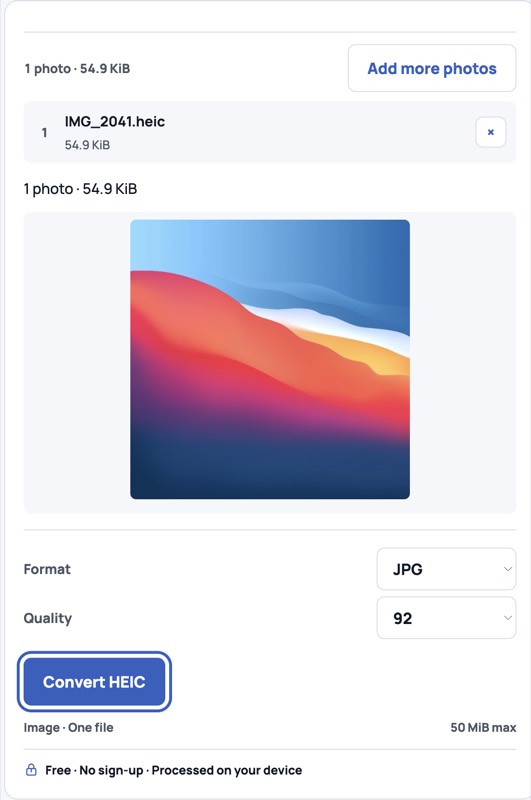
- Choose one or more HEIC or HEIF photos.
- Choose JPG or PNG and the quality.
- Download the photos or the ZIP.
Formats and limits
Convert HEIC photos to JPG or PNG on Windows, Mac, Android or iPhone. Batch-convert several photos and download them as a ZIP. Nothing is uploaded.
- Input
- JPG · PNG · WebP · AVIF · GIF · HEIC · BMP · ICO
- File limit
- 50 MiB
- Processing
- In your browser, no upload
- Output
- JPG · PNG
Processing facts
- No upload — the file stays in your browser.
- 50 MiB · File limit
- Phone transfer files expire after 1 hour.
Why iPhone photos are HEIC
Apple switched to HEIC because it stores the same picture in roughly half the space of JPEG. The catch is compatibility: Windows, older Android phones, many websites and some print shops cannot open it without extra software. Converting to JPG or PNG is the quickest way to make the photo usable everywhere.
HEIC on Windows
Windows 10 and 11 need the HEIF Image Extensions and, for many photos, the HEVC Video Extensions from the Microsoft Store before Explorer and Photos can preview HEIC. This converter needs none of that: the browser decodes the HEIC and writes a JPG or PNG you can open anywhere, without installing a codec pack.
HEIC on Mac
Preview and Photos open HEIC natively, but they export one image at a time. Use this page when you have a folder of iPhone photos to convert: add the batch, choose JPG or PNG, and download one ZIP instead of saving each file by hand. Nothing leaves the machine while it runs.
HEIC to JPG or PNG
JPG is the smallest option for photos and is accepted almost everywhere. PNG is lossless, keeps transparency and suits screenshots or images with sharp edges. Both are written from the decoded HEIC pixels, so the choice affects size and future editing more than it affects how the photo looks today.
Batch conversion and ZIP
A folder of holiday photos is usually a batch, not a single file. Add as many HEIC files as the picker allows, convert them together and download a ZIP that keeps the original names with a new extension. The ZIP is built in the browser, so the photos are never uploaded to assemble it.
Quality and file size
JPG output uses a high-quality encode; the quality control matters most when the converted photos will be edited again. PNG output is much larger — expect several times the JPG size for a camera photo. If the destination has an upload limit, convert to JPG first and lower the quality one step before resizing.
Metadata and privacy
The converter writes a fresh image. Location and camera tags from the HEIC are not carried into the JPG or PNG, so the converted files are safer to share. That also means the capture date is lost, which matters if you are sorting an archive — keep the originals for that.
Common questions
What is a HEIC file?
HEIC is the photo format iPhones use by default. It stores efficient HEVC images, but many websites and older programs cannot open it.
How do I convert HEIC to JPG on Windows?
Windows needs the HEIF Image Extensions and HEVC Video Extensions to preview HEIC. This tool avoids installing anything: open it in your browser, choose the photos and export JPG.
How do I convert HEIC to JPG on Mac?
Preview can export one HEIC at a time. This converter runs in Safari, Chrome or Firefox and handles several photos in one pass, entirely on your device.
Can I convert HEIC to PNG?
Yes. Choose PNG in the format control. PNG is lossless and preserves transparency, but photos saved as PNG are much larger than JPG.
Can I convert several photos at once?
Yes. Add multiple HEIC files, convert them together and download a ZIP with all the JPG or PNG files.
Does converting keep the quality?
The HEIC is decoded and written as a high-quality JPEG. JPEG is lossy, so there is a small change; choose PNG if you need a lossless copy.
Are my photos uploaded?
No. The HEIC files are decoded and converted on your device.